One live screen for every channel you run.
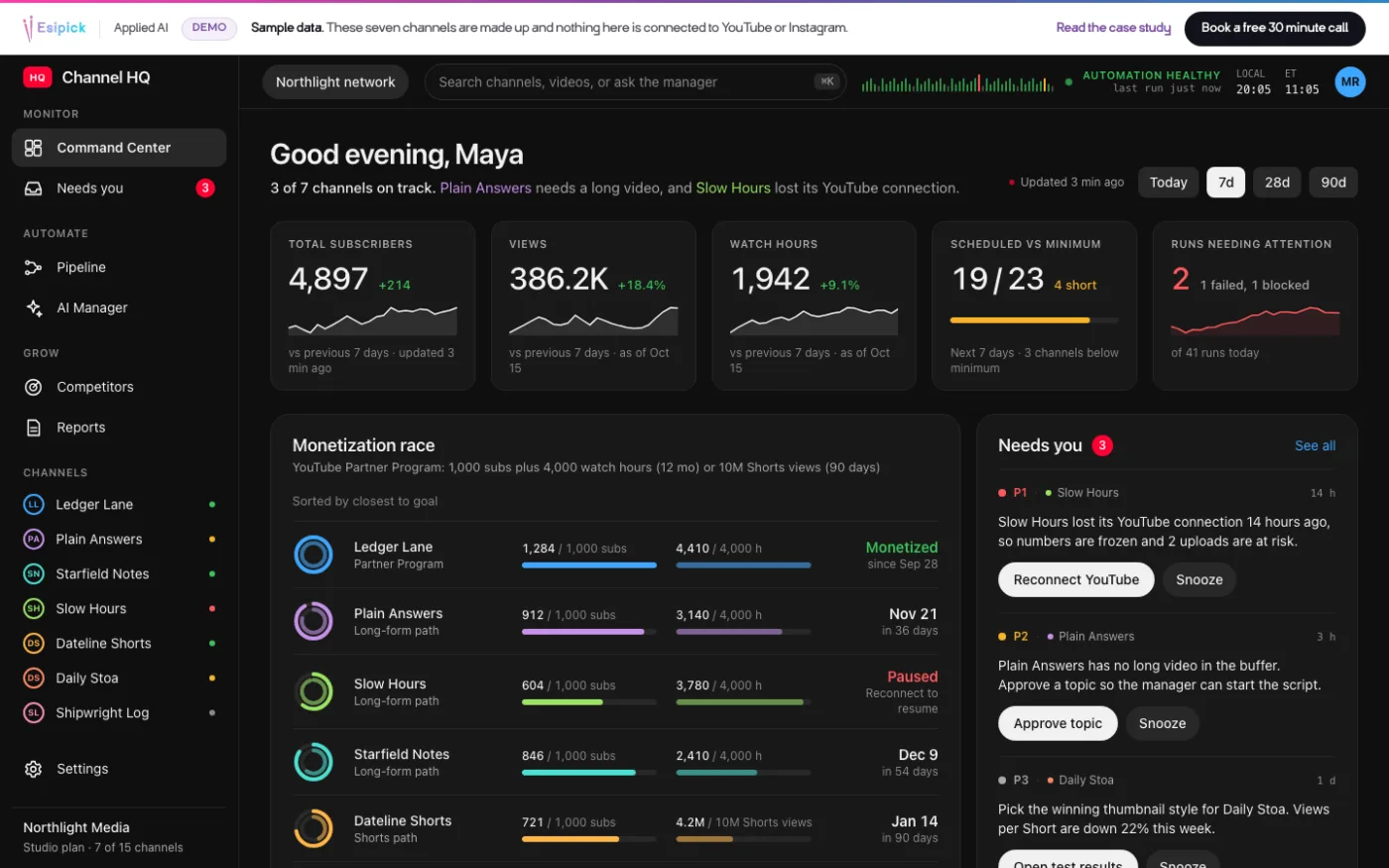
Channel HQ is the live command center Esipick builds for networks of YouTube and Instagram channels. This case follows a made-up network, Northlight Media, so every name and number on this page is illustrative demo data.
- Client
- Northlight Media, a fictional creator network
- Rung
- Build AI systems and products
- Stack
- Next.js, Supabase, YouTube and Instagram APIs, Claude
- Status
- Product demo with sample data
Results, as published
- 7Channels on one screen, one sign-inDemo data
- 4,897Subscribers across the network, updated every few minutesDemo data
- 41Automation runs a day, each with a time and a resultDemo data
- 3Needs-you items, each with one button to act onDemo data
Seven channels, a dozen tabs and no single picture.
Northlight Media runs seven channels with an AI manager doing the daily work. To learn what had run, what had failed and what needed a person, the team opened files and tabs one at a time.
One screen that reads from three feeds.
Channel HQ pulls numbers from the official YouTube and Instagram APIs, takes runs, decisions and needs-you items from the automation through a small events API, and keeps everything in one database. The dashboard only reads it, and updates on screen with no reload.
A command center that stays live.
Each channel shows its numbers and its progress to monetization. The automation's runs appear as they happen, and a short list shows what needs a person. It is multi-tenant, with Owner, Operator and Viewer roles, so every network gets its own walled-off workspace.
Screens
Screens from the interactive demo. The network, Northlight Media, and every name and number on them are made up.
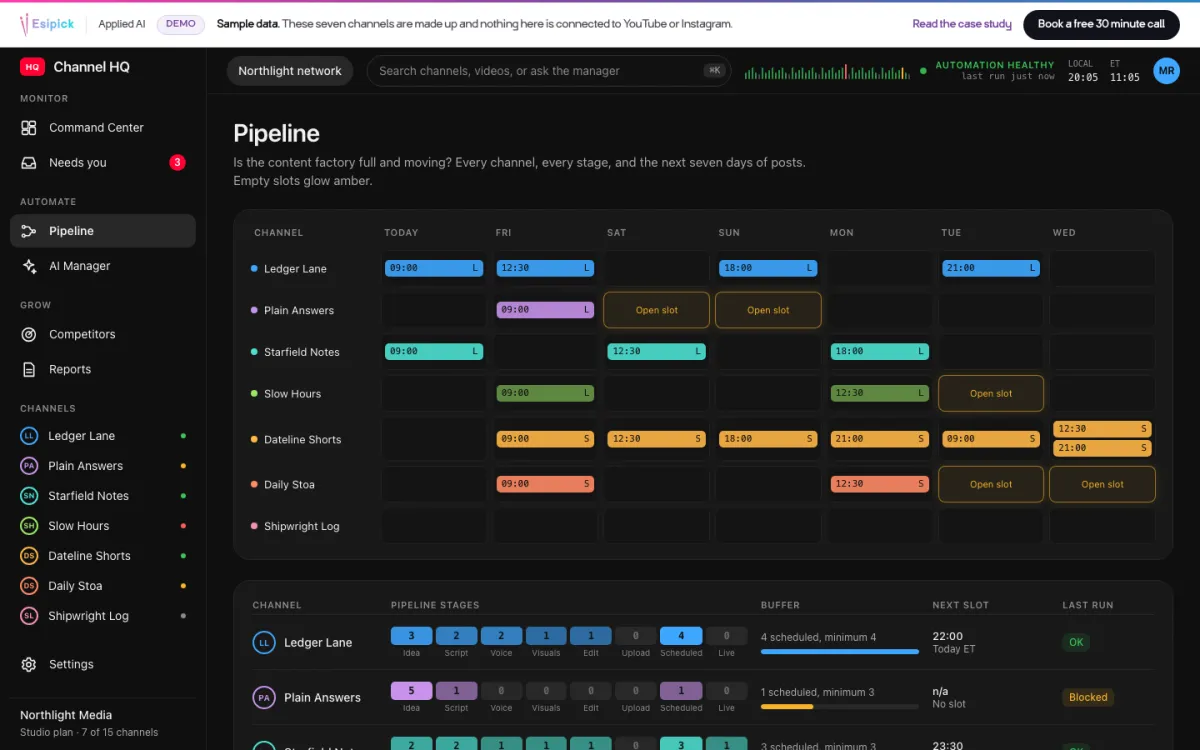
Pipeline: every stage, and the next seven days. Empty slots glow amber 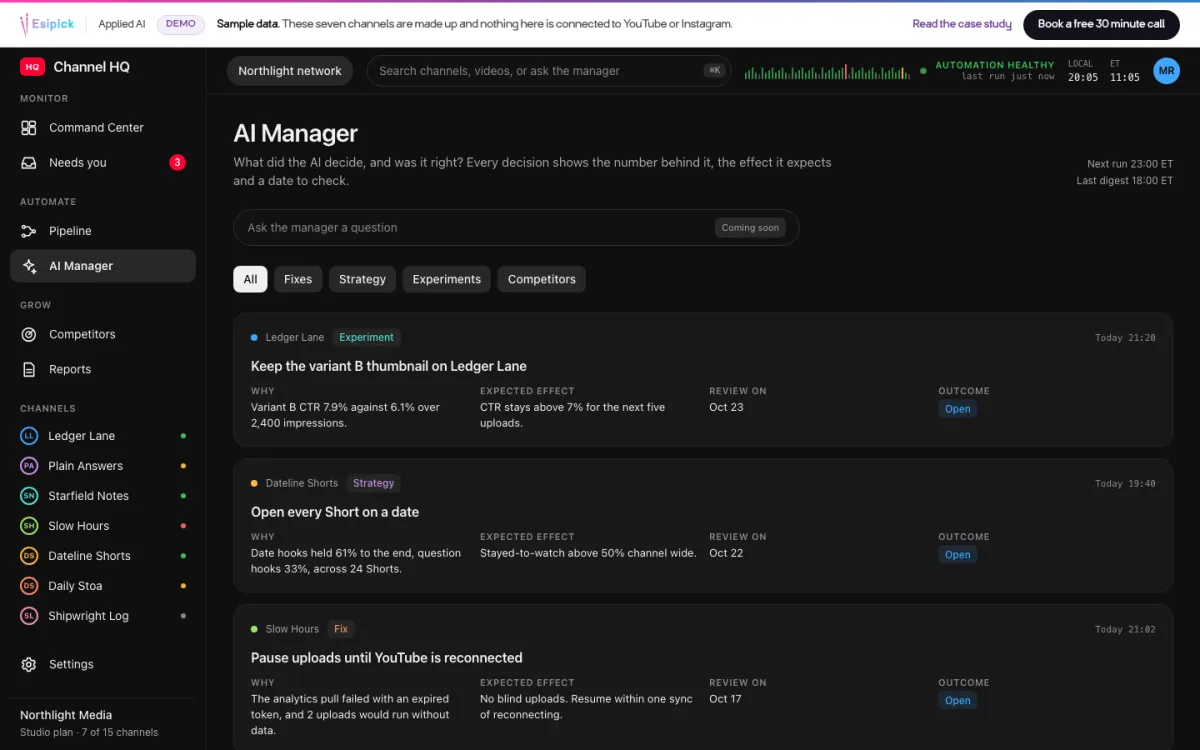
AI Manager: each decision, the number behind it and a date to check 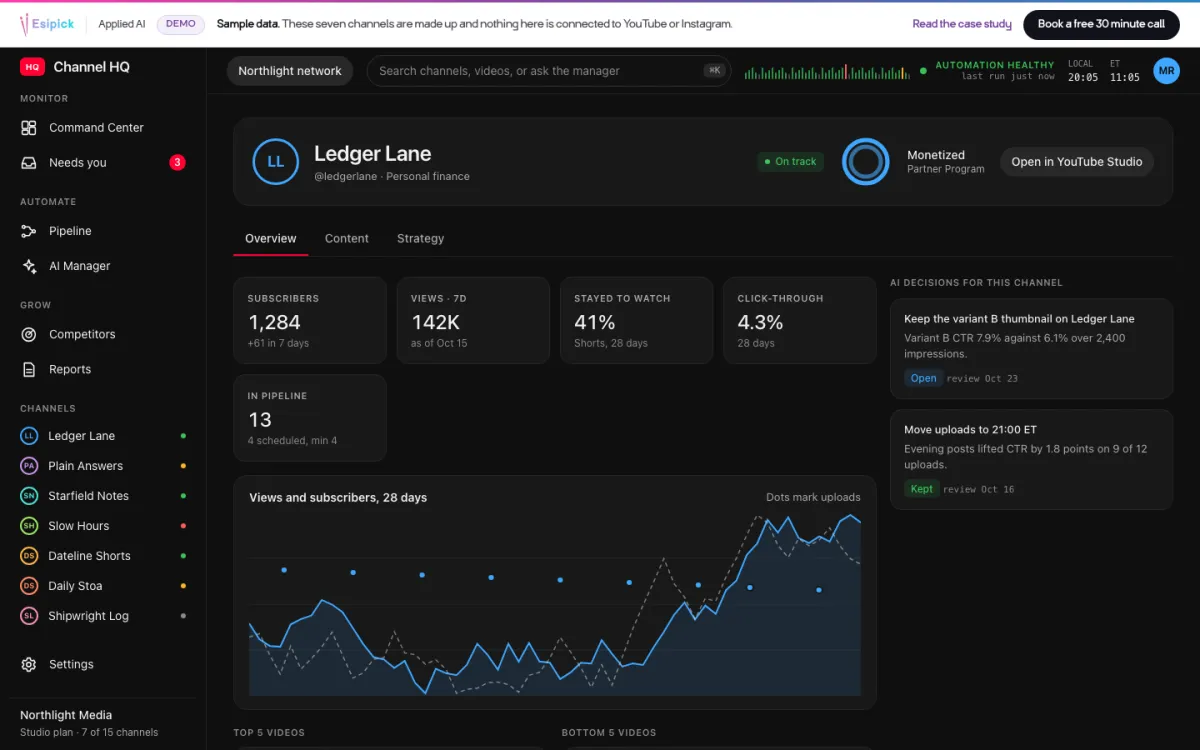
Channel detail: trend, uploads and the decisions for this channel 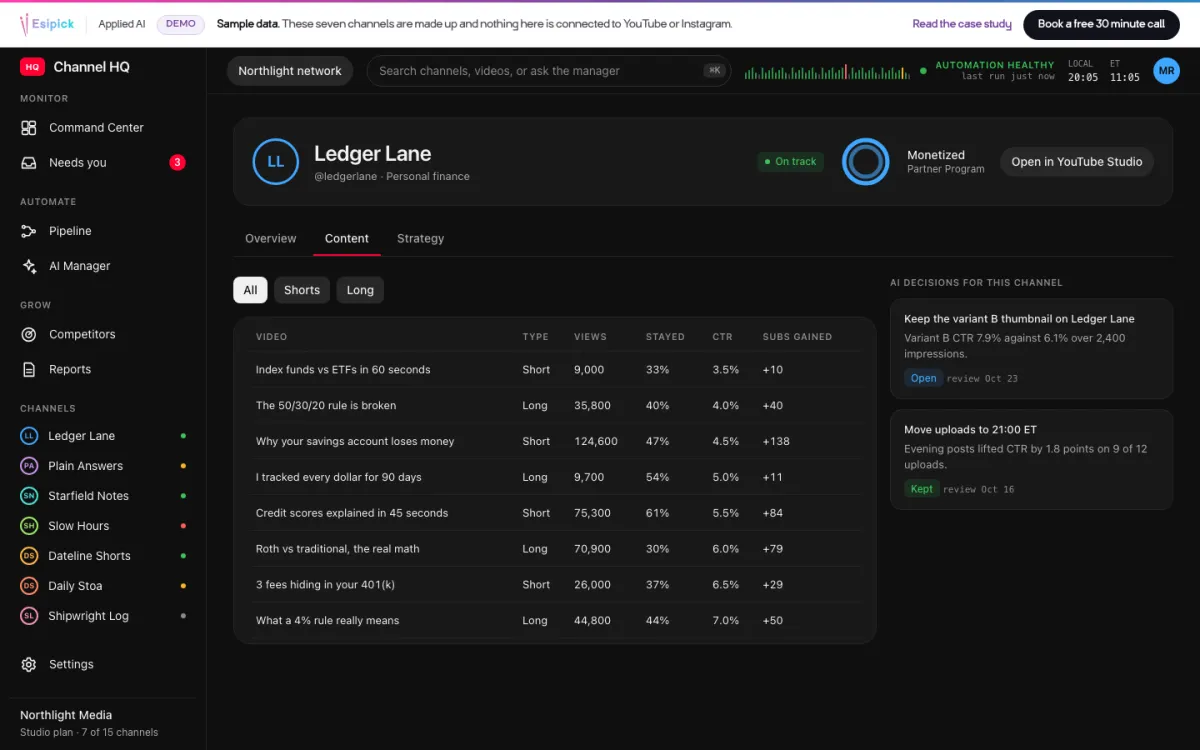
Content: every video, filterable by Shorts and long 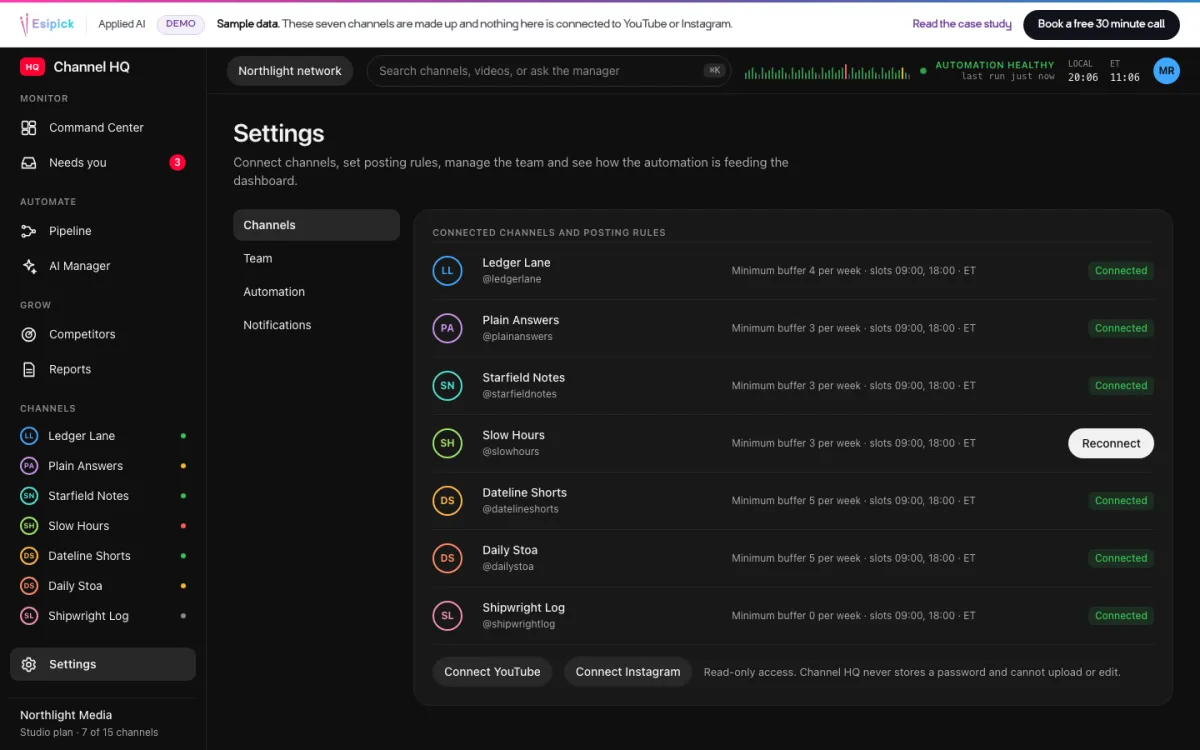
Settings: channels, rules and read-only connections 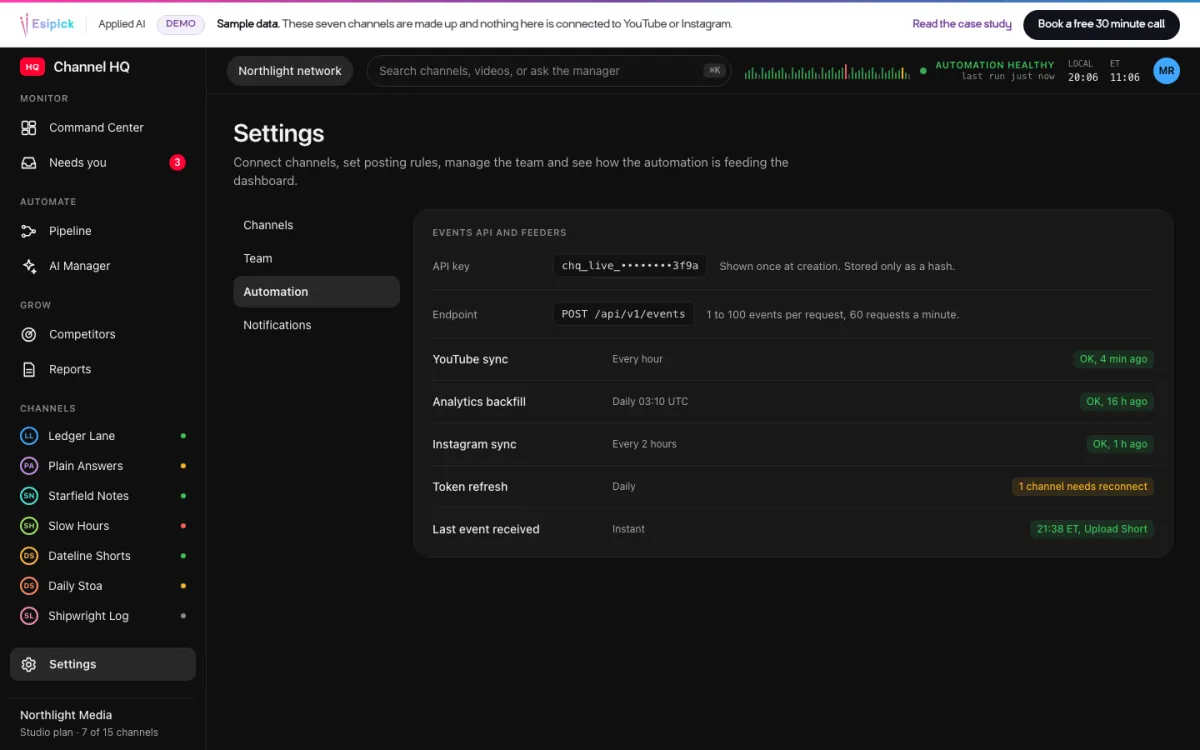
Automation: how the AI manager reports in
What shipped
Six screens on one database, fed by three sources.
- Command Center with the monetization race
- Pipeline and schedule board
- AI Manager decision feed
- Needs-you inbox
- Channel pages
- Settings with roles and an events API
Click through the whole product.
Open the Command Center, Pipeline, AI Manager, channel pages and Settings. Clear the needs-you list and post a test event. Sample data, no signup.
Start the demo